 Help Center
How to view the PTZ Camera motion detected footage on the Smart Life app
Please see our PTZ Camera playlist:
https://www.youtube.com/playlist?list=PLBd6PSVd6oZJZ6-q2KjLRXyuWCaEbNad6
Watch the the following video titles below:
1. OSI Smart Mini PTZ Camera - Record Settings Tutorial
2. OSI Wi-Fi Mini PTZ Camera - Playback Recorded Footage Tutorial
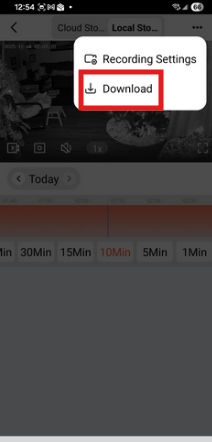
A new feature, after it says select 'view' at 1 min 12 second mark , you can select the three dots ... at the top right and have the option to download the footage. You can trim it by adjusting the yellow bars.
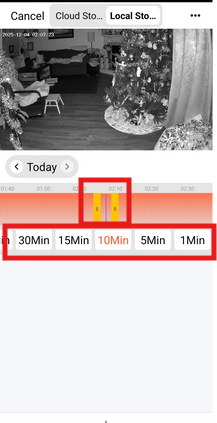
The 60-min, 30-min, 15-min, 10-min, 5-min, and 1-min options you see below will shift the timeline when selected while you are sliding (searching) through the timeline.