 Help Center
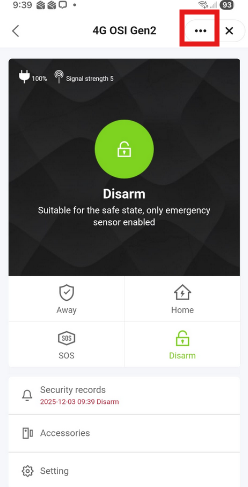
To send the Device Information and the Virtual ID, please select your Device in the Smart Life app.
- Select the three dots on the upper right
- Select Device Information
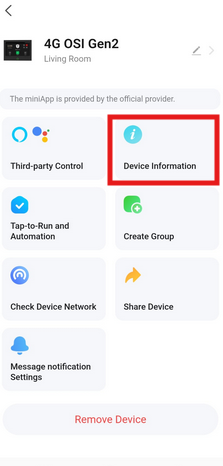
- Email a copy of the following below to the support agent that is helping you.
a. A copy the Virtual ID
b. A screen capture of the Device Information screen.

Thank you,
OSI Go Direct - Customer Support